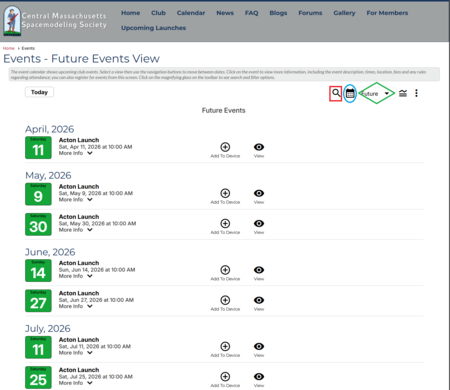
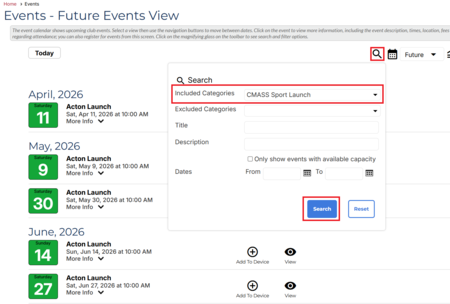
When I copy the CMASS Launch dates from our website calendar to my personal calendar, I find it useful to filter the view of our Event Calendar to see only those sport launches. See screen shots below:
- Toggle from grid view to list view, clicking the icon shown below circled in blue.
- In the Time Line dropdown, select "Future" (the green diamond in the screen shot).
- Select the magnifying glass icon (red square), which opens a filter dialog (2nd screen shot). Select "CMASS Sport Launch" from the "Included Categories" dropdown, and select Search.